

Why Use Screen Printing for 3M 6101 Adhesive Application?
When your process requires uniform adhesive coverage across a defined pattern area — gaskets, substrate bonding zones, or multi-point attachment pads — screen printing delivers the consistency that bead dispensing cannot match at scale. 3M Scotch-Weld 6101 Off-White is a validated adhesive for screen printing. Its thixotropic rheology — flowing freely under the shear force of the squeegee, then holding its shape once the blade passes — makes it well-suited for stencil-based printing without runoff or bleeding beyond the pattern boundary.
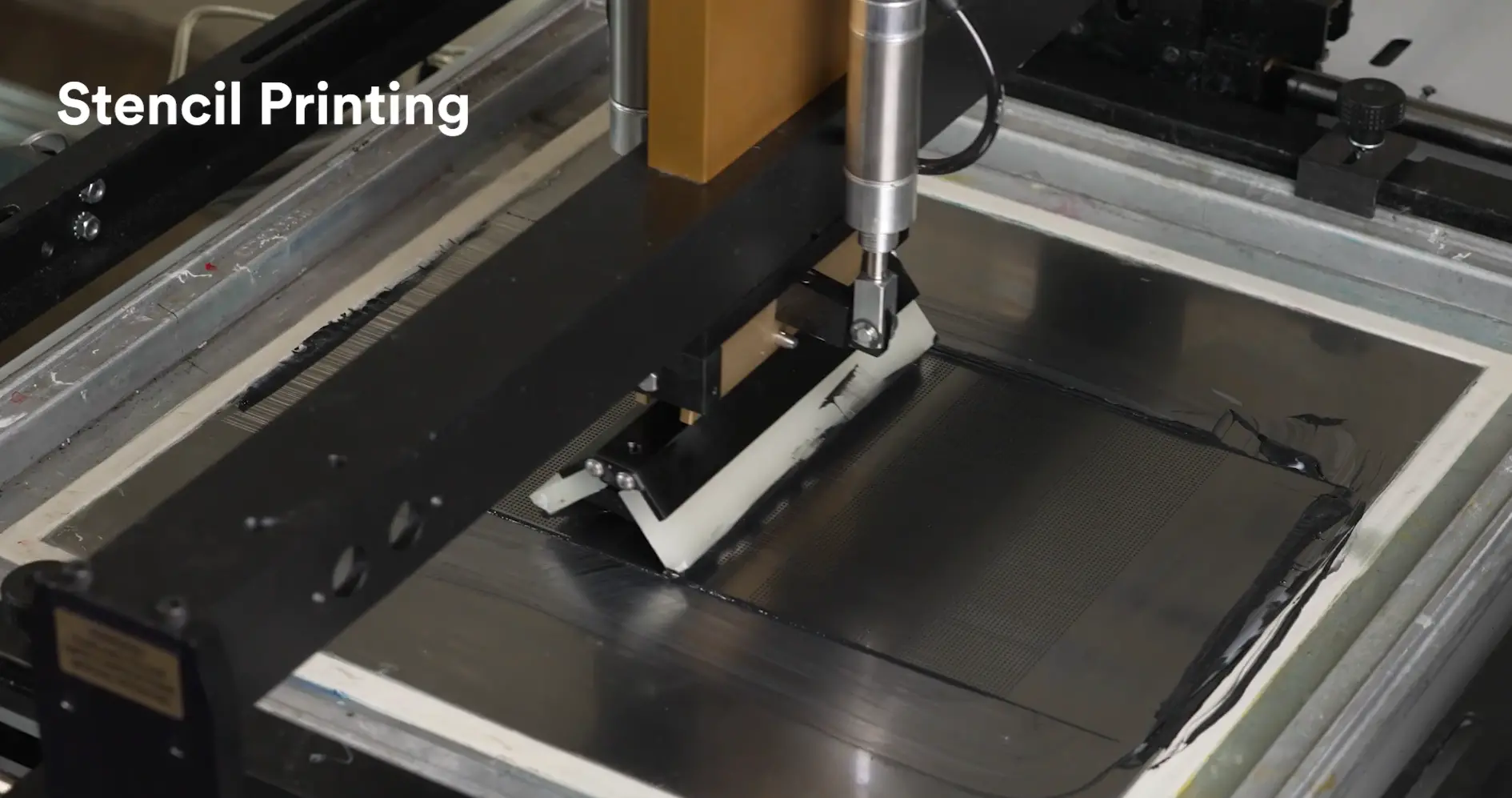
This guide covers everything you need to set up a repeatable 3M 6101 screen printing process: mesh selection, squeegee configuration, printing conditions, troubleshooting, and cleaning procedure.
Before You Start: Adhesive Handling
Proper adhesive handling before printing directly affects print quality. Do not skip this step.
Remove the syringe from cold storage and allow it to thaw at room temperature for 1–2 hours. Do not accelerate warming by heating above 27°C.
Apply the adhesive directly without dilution or additives. Adding solvents or thinners will alter the rheology and invalidate the parameters in this guide.
Once opened, 3M 6101 is stable for 4 weeks at 25°C — sufficient for extended production runs without urgency.
Used adhesive from the screen plate may be contaminated. Returning it to the original container can compromise the entire batch.
Selecting the Right Screen Mesh
Mesh selection is the single most critical parameter for controlling adhesive coating thickness and pattern precision. Getting this wrong upstream affects every printed part downstream.
Wire Material
- Stainless steel — larger wire diameter produces thicker coatings. Use when higher coating weight is required.
- Polyester — smaller wire diameter produces finer, more precise patterns. Better suited for electronics and preferred for heavy-duty production due to superior durability. Recommended
- Nylon — less commonly used in precision applications.
Recommendation for 3M 6101: Polyester with AB hardener treatment for enhanced mesh durability.
Mesh Number vs. Dry Coating Thickness
| Mesh Number | Approx. Dry Coating Thickness (3M 6101 OW) | Suitable Application |
|---|---|---|
| #225 | ~60 µm | Gaskets, applications requiring thicker coating |
| #380 | ~40 µm | Electronics assembly — recommended |
Higher mesh numbers (e.g. #400) produce thinner coatings because openings between wires are smaller. Lower mesh numbers (e.g. #70) deposit more adhesive but sacrifice pattern precision — not suitable for electronics bonding applications.
Masking
- Material: Acrylic-type — smooth surface profile, easy to clean, durable
- Recommended thickness: 50 µm above the wire diameter
- Too thin → reduced coating weight; too thick → uneven pattern edges on wider bond areas
Suggested Screen Specification Summary
| Parameter | Acceptable Range | Recommended |
|---|---|---|
| Screen material | Polyester or Stainless steel | Polyester + AB Hardener |
| Mesh number | #225 – #400 | #380 or #225 |
| Masking thickness | Wire diameter + 30 to 70 µm | 50 µm |
Printing Pattern Options
- Plain — solid coverage across the entire open area. Coating thickness controlled by mesh number alone.
- Stripes — parallel lines. Allows some adhesive relief during compression; useful for gasketing applications.
- Dot — discrete dot array. Can achieve locally thicker coatings by increasing masking thickness, independent of mesh number.
Substrate Surface Preparation
Adhesive bond strength is only as good as the substrate surface it’s applied to. Surface contamination is the leading cause of bond failures that appear to be adhesive issues but are not.
Surface preparation methods listed from least to most effective:
| Method | Description | Effectiveness |
|---|---|---|
| Degrease only | Solvent wipe to remove surface oils and fingerprints | Minimum acceptable |
| Degrease, abrade & solvent clean | Mechanical abrasion increases surface area and removes oxide layers | Good for metals |
| Degrease & chemical pre-treatment | Primers, plasma treatment, or chemical etching depending on substrate | Most effective |
Bond as quickly as possible after surface preparation. Freshly prepared surfaces degrade over time — fingerprints, airborne contamination, and reoxidation all reduce the effectiveness of surface prep. Never touch prepared surfaces with bare hands.
Squeegee & Flood Bar Setup
Squeegee configuration controls how much adhesive is pushed through the mesh and determines the uniformity of the printed pattern.
Squeegee Parameters
| Parameter | Acceptable Range | Recommended |
|---|---|---|
| Blade material | Synthetic rubber | Polyurethane |
| Blade shape | Square, straight edge | Square, straight edge |
| Hardness | 80 – 90 durometer | 83 Shore A |
| Set angle | 60° – 70° | 65° |
Notes on squeegee setup:
- Square blade shape produces sharp pattern edges — important for precise bonding zones
- Harder rubber (higher durometer) produces thinner coatings. If your coating is too thick, increase durometer before changing mesh.
- Tilting the squeegee forward (increasing angle toward 70°) forces more adhesive through the mesh — useful if pattern fill is insufficient.
Scraper (Flood Bar)
| Parameter | Specification |
|---|---|
| Material | Aluminum or stainless steel |
| Set angle | 90° |
| Pressure | Sufficient to depress screen mesh approximately 3.2 mm (1/8 inch) |
The flood bar spreads adhesive across the screen before the squeegee pass. Set pressure just sufficient to spread adhesive across the mesh — not enough to force it through before the squeegee pass.
Working Environment & Print Conditions
Environmental control has a larger impact on screen printing consistency than most engineers expect.
Humidity above 50% RH affects adhesive rheology and can cause inconsistent flow through the mesh — a defect that is difficult to diagnose without continuous humidity monitoring.
Before Starting a Print Run
- Wet the surface of the screen plate by wiping with a damp cloth before the first print pass
- Place adhesive alongside the squeegee on the screen plate — not directly on the mesh area
- Set the squeegee rest position on the side where it finishes after the scraper pass — prevents adhesive from drying on the mesh during sheet changes
During the Run
Run printing continuously — do not stop mid-run. Stopping allows adhesive to begin drying in the mesh, leading to plugging defects on restart. If work must be paused: remove adhesive and clean the screen plate with MEK before resuming.
Cure Conditions
After printing, the adhesive will not cure at room temperature. It requires heat to initiate crosslinking.
| Cure Temperature | Time Required | Notes |
|---|---|---|
| 65°C | 20 minutes | Standard cure for screen-coated #380 mesh |
| 90°C | 3 minutes | Fast/snap cure for high-throughput lines |
Important: The substrate must actually reach the minimum cure temperature of 65°C — oven air temperature alone is not sufficient. Verify substrate temperature with a thermocouple or temperature-indicating strips, especially on thick substrates or dense assemblies with significant thermal mass.
Extended room-temperature cure: If parts cannot go through the oven immediately, they will continue to develop strength at room temperature over 24 hours. This can be useful for repositioning or staging before final cure — but full strength requires the heat cycle.
Troubleshooting Screen Printing Defects
The three most common defects when screen printing 3M 6101 and how to address them:
Symptom: Small voids, pinholes, or an uneven, rough texture in the printed adhesive.
Cause: Insufficient adhesive flow through the mesh.
Fixes:
- Increase squeegee pressure
- Reduce squeegee speed
- Check adhesive level on the screen — add more if running low
- Verify adhesive has been fully thawed and is at room temperature
Symptom: Pattern becomes progressively incomplete across a print run; adhesive no longer transfers through specific mesh areas.
Cause: Adhesive beginning to cure or dry in the mesh — often from stopping mid-run or working in low humidity.
Remove adhesive immediately and clean the screen plate with MEK. Test-print on scrap substrate before restarting production. Do not try to push through plugged mesh — pattern quality will not recover without cleaning.
Symptom: Printed substrate sticks to the screen when lifted, distorting the adhesive pattern.
Cause: Screen snap-off distance, adhesive tack, or masking condition.
Fixes:
- Increase snap-off distance (gap between screen and substrate)
- Check that masking is clean and undamaged — worn or sticky masking contributes to poor release
- Ensure substrate surface is clean and flat
Cleaning Procedure
Proper cleaning after each run is essential to maintain screen mesh quality and prevent cured adhesive from permanently blocking the mesh.
- Remove as much adhesive as possible from the squeegee and screen plate using a scraper immediately after printing — before it has time to dry.
- Swell remaining uncured adhesive with Methyl Ethyl Ketone (MEK).
- Use a brush or plastic blade to remove heavy deposits after MEK swelling. Be careful not to damage the masking.
- Clean the mesh by wiping both sides with a MEK-wetted cloth. For heavy contamination, an ultrasonic cleaner is significantly more effective.
- Repeat steps 3–4 until all adhesive is removed.
- If adhesive residue remains sticky on the screen, wipe with ethanol or IPA.
- Allow screen-printed parts and cleaned screens to dry completely at room temperature before reuse.
Solvent safety: When using MEK or other solvents, follow all safety instructions on the supplier’s SDS and product label. Ensure adequate ventilation. Do not use solvents that are not recommended by your screen frame manufacturer — some solvents can degrade adhesive in the screen frame itself.
Quick-Reference 3M 6101 Screen Printing Setup Summary
| Mesh number | #380 (Polyester) |
| Dry coating thickness | ~40 µm |
| Screen material | Polyester + AB Hardener |
| Masking thickness | 50 µm |
| Squeegee material | Polyurethane |
| Squeegee hardness | 83 durometer |
| Squeegee angle | 65° |
| Flood bar angle | 90° |
| Room temperature | 20 – 25°C |
| Relative humidity | ~50% RH (not higher) |
| Standard cure | 65°C / 20 min |
| Fast cure | 90°C / 3 min |
| Cleaning solvent | MEK (primary) + IPA (finish) |
Need Help Setting Up Your Screen Printing Process?
First-time screen printing setup with 3M 6101 or any new adhesive involves more variables than the table above can capture — especially when your substrates, pattern geometry, or existing equipment introduce constraints not covered in the standard guide.
Prostech’s Application Engineers have hands-on experience setting up 3M 6101 screen printing processes for electronics manufacturing in Vietnam. We can review your screen specifications, run trials at our lab, or come on-site to validate parameters directly on your equipment.
Contact Prostech to Schedule a Screen Printing Process Review
Technical data sourced from 3M Screen Printing Guide for Scotch-Weld One-Part Epoxy Adhesive 6101 Off-White (Technical Bulletin, February 2020). All parameters are directional — validate in your specific process environment.